From a great man ...
Wednesday, April 2, 2014

Saturday, March 29, 2014
Mac OS X file versus Mac Ports file

Trying the native Mac OS version worked, but the one installed by MacPorts (/opt/local/bin/file) would just report a regex error.
$ /usr/bin/file magicmagic: magic text file for file(1) cmd$ /opt/local/bin/file magicmagic: ERROR: line 19439: regex error 17, (illegal byte sequence)
A closer look at the magic file that lives in /opt/local/share/misc/ revealed that line 19439 is
0 regex/s \\`(\r\n|;|[[]|\xFF\xFE)
Disabling the line with a "#" and recompiling the magic file with the "-C -m <magic file>" solved the issue.
Friday, March 14, 2014
An afternoon at the museum - Dark Matter
The American Museum of Natural History in New York is one of my top 20 museums in the world. Although I am not a big biology and mineralogy fan, I really enjoy walking among the collections of dinosaurs, primates and meteorites. My favourite section is the Hayden Planetarium, where presentations about an half an hour long are displayed inside the sphere. Currently, it is about dark matter. If you are in New York for a few days and are looking for an afternoon to spend, I suggest it.
Monday, March 3, 2014
Modelling Security Awareness

A nagging issue in security is to evaluate the level of a group or of a single person: does that person know? How well does she understand the concepts? Does she realise what the consequences might be?
Traditionally, this is done through a series of tests/trainings: a company such as PhishMe offers a wide range of phishing tests, that lead to trainings or information pages. For example, if a user provides his credentials, he is sent to a video that explains he would have potentially given access to the corporate network to cybercriminals. While there is a huge value in doing these, it only assesses the ratio of people who failed the test, but not the depth of awareness of people who succeed: a person may pass the test because "providing my e-mail credentials when clicking on a link is wrong", but may fail to see that the PDF file attached to the next e-mail is malicious.
In order to evaluate how well security concepts are understood, I suggest using a different scale, IKUC. This stands for
K - Know
U - Understand
C - Care
Ignore - the base level: the person has no knowledge of it. The term or concept may have been heard or read about, but the person can, at best, vaguely formulate it.
Know - the level at which a person can quote a precise definition or explain what the concept is, but this sounds like a mechanical regurgitation.
Understand - not only the person knows the definition but also succeeds in explaining it and how the concept works.
Care - the goal level: the person understands the term or concept, but also the threat and impact that may result. This is the realisation that the term or concept is not merely words, but an actual attack that can affect the person or the company in various ways.
Know - the level at which a person can quote a precise definition or explain what the concept is, but this sounds like a mechanical regurgitation.
Understand - not only the person knows the definition but also succeeds in explaining it and how the concept works.
Care - the goal level: the person understands the term or concept, but also the threat and impact that may result. This is the realisation that the term or concept is not merely words, but an actual attack that can affect the person or the company in various ways.
This is a progression: in order to understand something, you have to know it. In order to care, you have to understand it. While one may argue that it is possible to care for something that is known but not understood, I think that this is inefficient, as it quickly turns to recognising scenarios instead of the broader, underlying concept. This may be seen as the "don't click on links in e-mails", which leaves the possibility for clicking on files or answering the e-mail with the information the attacker seeks.
By elevating the user from a basic knowledge to understanding, not only will the concept by clearer and easier to recognise, but also this enables the user to relate a variety of threats as being really the same "thing." In the long run, this saves time and money to the company by not having to develop a scenario for everything.
Caring is the next step, it is the realisation that not only there is a threat, but that threat has an impact on the person or the firm. That is the realisation that "bad things don't happen at random." This is, for me, the "true awareness" and is summed up in the idiom "once burned, twice shy." However, "cyberburning" can be persistent (think "credit score damage") or even fatal (DigiNotar, Mt. Gox and an article from Fox Business). This is by far the hardest step, as human being we tend to downplay the risks or impacts when we want something (either to possess it or as a mean to achieve a goal, such as performing one's duty), but to exaggerate the inconvenience of anything that may stand between us and these goals/things.
Unfortunately, this "magnification of inconvenience" and "downplaying of risks" clouds the step from "Understanding" to "Caring": "if it is inconvenient and not that risky, why should I care?" Sounds familiar? For me, way too much.
A good security awareness program has to address both the K, U and C states. It has to make sure everyone knows what is being explained (the "K"): if it is phishing, does everybody know what phishing is? Can it be defined in a simple way and without requiring to drop various examples? From there, does everybody understand how this works and is everybody able to recognise such a scenario for what it is?
As I wrote, getting to the C is the hardest part, due to having to go "over the ledge of perception of the "rarity", "lack of danger" and "inconvenience of doing otherwise." It is also by far the most important step. This may be related to a speed limit on a street: we all know what a speed limit is, most of us understand why a speed limitation may be placed somewhere, but some of us fail to care and just disregard the limitation. From time to time, this leads to an accident, injuries and possible death.
I think this is where all the "phishing" companies fail: they focus on bringing people to the C directly, regardless of the previous state. A more comprehensive process would be to make sure that everyone attending such a training has gone through the K and is at the U state before leaping to the C state.
By elevating the user from a basic knowledge to understanding, not only will the concept by clearer and easier to recognise, but also this enables the user to relate a variety of threats as being really the same "thing." In the long run, this saves time and money to the company by not having to develop a scenario for everything.
Caring is the next step, it is the realisation that not only there is a threat, but that threat has an impact on the person or the firm. That is the realisation that "bad things don't happen at random." This is, for me, the "true awareness" and is summed up in the idiom "once burned, twice shy." However, "cyberburning" can be persistent (think "credit score damage") or even fatal (DigiNotar, Mt. Gox and an article from Fox Business). This is by far the hardest step, as human being we tend to downplay the risks or impacts when we want something (either to possess it or as a mean to achieve a goal, such as performing one's duty), but to exaggerate the inconvenience of anything that may stand between us and these goals/things.
Unfortunately, this "magnification of inconvenience" and "downplaying of risks" clouds the step from "Understanding" to "Caring": "if it is inconvenient and not that risky, why should I care?" Sounds familiar? For me, way too much.
A good security awareness program has to address both the K, U and C states. It has to make sure everyone knows what is being explained (the "K"): if it is phishing, does everybody know what phishing is? Can it be defined in a simple way and without requiring to drop various examples? From there, does everybody understand how this works and is everybody able to recognise such a scenario for what it is?
As I wrote, getting to the C is the hardest part, due to having to go "over the ledge of perception of the "rarity", "lack of danger" and "inconvenience of doing otherwise." It is also by far the most important step. This may be related to a speed limit on a street: we all know what a speed limit is, most of us understand why a speed limitation may be placed somewhere, but some of us fail to care and just disregard the limitation. From time to time, this leads to an accident, injuries and possible death.
I think this is where all the "phishing" companies fail: they focus on bringing people to the C directly, regardless of the previous state. A more comprehensive process would be to make sure that everyone attending such a training has gone through the K and is at the U state before leaping to the C state.
Saturday, February 22, 2014
HHS Info for 2013

For the year 2013, there are 217 breaches that either started or ended, totalling 7,636,544 records, an average of 35,191.45 records per breach. The minimum is 500 (the minimum to be publicly reported), the maximum 4,029,530 records. The first quartile is 1,127 records and the third 6,332 records.
The breach that resulted in 4,029,530 records compromised affected Advocate Health and Hospitals Corporation, d/b/a Advocate Medical Group and was due to the theft of a desktop machine.
The following graph shows the geographical distribution of these breaches, with green being the least and red the most. The "white" states reported no breach affecting more than 500 records for 2013, which doesn't mean there was none: either each breach affected less than 500 users or the breaches were not reported to the authorities, which would be a clear violation of HIPAA.
The five states with the highest number of breaches are California (23), Texas (17), Florida (15), North Carolina (14) and Illinois (13). These five states represent 37.78% of all breaches.
In terms of number of records compromised, the map becomes
The most cited cause for a breach is "Theft" and related, with 92 breaches or 42% of all breaches, totalling 5,923,705 records. Interestingly enough, all the "Hacking/IT Incidents" represents only 17 breaches, or a bit short of 8%, for a total of 532,230 records. The average number of records compromised through thievery is 64,388 and through IT Hacking 31,308.
There is already an interesting trend there: a breach is more likely to happen through a stolen device than through hacking and with more severe consequences. However, it is also important to keep in mind that the gigantic breach that affected more than 4 millions users drags that number way up. If it is removed, the average goes down to 20,815 records per breach on average, below the average for a breach resulting through IT Hacking.
Out of the 92 incidents that involved theft in a form of another, 52 of them mention that the location of the information was on a laptop, more than 56%. If we add to that the category "Other portable devices", the number rises to 57 (62%). On average, an incident involving the theft of a laptop resulted in the disclosure of 33,827 records. The maximum reported is 839,711 compromised records for such an event.
It is interesting to notice that these 52 incidents represents the vast majority of all the breaches involving laptops. The following graph shows the type of breach for all the events concerning a laptop.
Geographically, a breach through thievery happened 12 times in California (52% of all CA breaches), 8 times in Florida (53% of all FL breaches), 7 times in Texas (41% of all TX breaches), 6 times both in Ohio (55% of all OH breaches) and Georgia (55% of all GA breaches). It is interesting to notice that the proportion of breaches through theft amounts to half of the reported breaches, at least for the top 5.
But laptops and mobile devices are not the only ones susceptible to be stolen. These devices represent 57% of the stolen containers. The following graph shows the distribution for the non-laptop stolen devices/containers that led to a breach.
"Desktop Computer" and "Paper"represent the top two categories. There is no explanation on how these were stolen, but one could safely assume this resulted from a burglary or break-in.
But thievery is not the only cause of data breaches. The second most cited cause is "Unauthorized Access" with 58 occurences (27% of all breaches). All together, "Theft" and "Unauthorized Access" represent 69% of all breaches. From a number of records perspective, 435,880 records were breached due to improper access.
The location of the breached information changes dramatically: if the laptops were the main location in the thievery scenario, in the unauthorized access the most cited location is paper with 16 occurrences (28%), then E-mail and "Network Server",tied, with 11 occurrences (19%). A note: some reasons include multiple reasons, I counted them for each category.
'Unauthorized Access' happened predominantly in Florida (8 incidents), Montana and North Carolina (5 incidents each), in California (4 incidents) and in Texas, Puerto Rico, Oregon, North Carolina and Illinois with 3 incidents each. These 9 states are responsible for about 60% of this type of breach.
The "unauthorized access" on paper information accounts for 32% of all breaches involving paper documents. Unfortunately, the main reason is often described as "Other", which means that the details are not available in the HHS database.
The "type of breach" represents the issue that permitted the breach. Several rows include multiple reasons, such as "Theft, Other". It is possible to extract seven "major themes":
- Improper Disposal
- Theft
- Loss
- Other
- Hacking/IT Incident
- Unauthorized Access/Disclosure
- Unknown
The following figure presents the number of occurrences of each reason. A reason that includes multiple "simple" reasons will be counted for each category.
Clearly and as already described, "Theft" is biggest issue, then "Unauthorized Access/Disclosure." Unfortunately, the third one is "Other", which is not self explanatory. The "Hacking/IT Incident" comes fifth, between "Loss" and "Improper Disposal."
Almost a quarter of all breaches (in count or in number of affected individuals) results from the theft of a laptop. This is a lot! This points to the fact that some data is simply not meant to be carried on portable devices. However, it seems that the HI is still having difficulties with this concept. And this is not looking very promising in the light of the current BYOD craze...
This could be solved by adopting a number of simple rules, such as "if it touches the network of an hospital, it is encrypted. If it works for an hospital, it is encrypted. If it has an hospital in its client, it is encrypted." Yes, that means that lots of companies will have to invest in disk encryption technologies; I don't think this is a huge problem in 2014. This is more a no-brainer.
Clearly and as already described, "Theft" is biggest issue, then "Unauthorized Access/Disclosure." Unfortunately, the third one is "Other", which is not self explanatory. The "Hacking/IT Incident" comes fifth, between "Loss" and "Improper Disposal."
What can we conclude of this?
The Health industry ("HI") is still struggling with breaches, and more importantly, with "stupid" breaches such as theft and unauthorized access. Unfortunately, every time one happens, people's lives can be ruined. It is then of the uttermost importance that the HI gives the patient information the highest priority in terms of protection.Almost a quarter of all breaches (in count or in number of affected individuals) results from the theft of a laptop. This is a lot! This points to the fact that some data is simply not meant to be carried on portable devices. However, it seems that the HI is still having difficulties with this concept. And this is not looking very promising in the light of the current BYOD craze...
This could be solved by adopting a number of simple rules, such as "if it touches the network of an hospital, it is encrypted. If it works for an hospital, it is encrypted. If it has an hospital in its client, it is encrypted." Yes, that means that lots of companies will have to invest in disk encryption technologies; I don't think this is a huge problem in 2014. This is more a no-brainer.
Monday, February 17, 2014
Phishing Techniques, Consequences and Protection Tips

Rohyt Belani, CEO at PhishMe, gave an interview to Help Net Security some time ago. This is very interesting.
Friday, February 7, 2014
BYOD anybody?
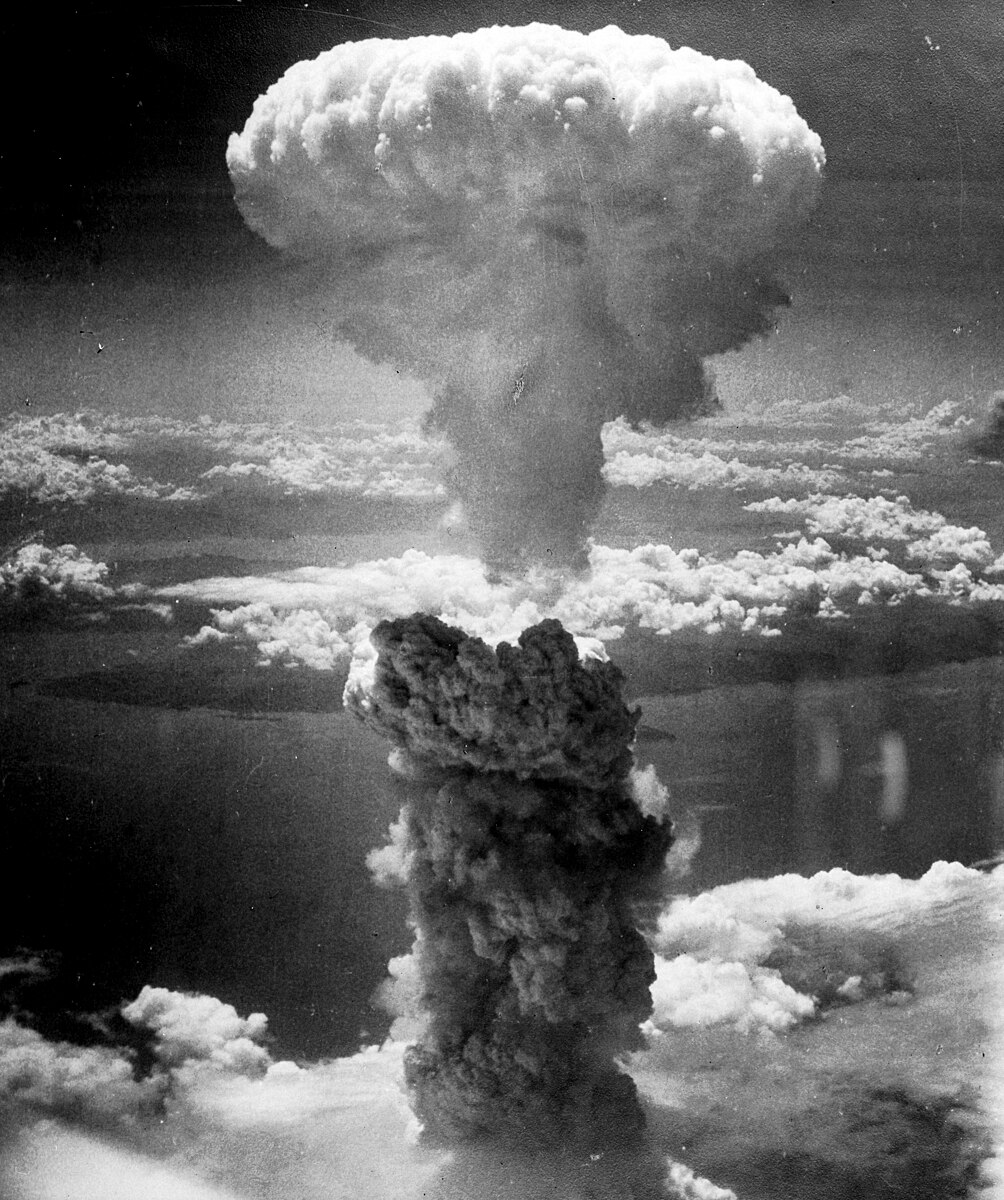
With the emergence of smart phones, tablets and affordable powerful laptops, employees have started demanding the right to use their personal gizmos at work: transporting and making presentations to client from a tablet, accessing the corporate contact list from a smart phone or using the "latest and super powerful" laptop to access corporate information systems. Or simply demanding to use the laptop "because the brand is different and I am more comfortable with it than with your corporate Windows 7 laptop."
Some employers also think this would be a great way to save money: the employee provides his own equipment, so there is no need to purchase a corporate laptop and a corporate phone for him, or to equip it with all the security measures normally taken with a corporate device.
That's where the endless list of issues starts.
First, let me present you the difference between my corporate laptop and my personal laptop. The former has been issued by my organisation's IT team, everything on it is patched through the corporate patch management tool. As it runs Windows 7, it is joined to the domain and I have to use my corporate account to access the internal resources. In addition, its local policies are pushed from the Active Directory infrastructure. Also, it has a full-disk encryption software, and an antivirus software.
My personal laptop is maintained by myself: I patch it when the update client pops up. It has an antivirus and I use two files as TrueCrypt containers for my personal data. It doesn't have any local policy besides the default and is not joined to my organisation's Windows Domain.
Of course, my personal preference is to use my own equipment: it has a keyboard I have been using since I turned 17 and got my first computer, but also it is far more powerful and has four times the RAM. Oh, and it runs a non Windows OS.
Yet, I accept the fact that I am not using it for work. Why?
Let's imagine I wanted to, and I am talking really working inside the network, not accessing a remote access solution such as Citrix. In order to protect the data at rest, I would need a full disk encryption solution, but who is going to pay for it? Myself or my company? Second, upon connection to the network, checks should be made to guarantee that my machine is up-to-date (AV, system and applications) and safe. This mandates the need for a NAC solution. While this is always a good idea, in practice I haven't seen it deployed in a large number of organisations, but this is changing, partly because that's usually my first recommendation.
Comes the issue of departing: it is always a sad moment in life when an employee and an employer part ways, but it happens and for different reasons: the employer terminates the contract, the employee terminates the contract or something happens that makes the employe unable to perform his duty, death being the obvious reason, but it can also be conviction, deportation or military duty.
So what happens in that case? For the "mobile" devices, namely phones and tablets, there are solutions to remotely wipe the device, the question of whether you'd accept losing your vacation pictures because you may have a contact list from your job is still being debated. But for the laptops or the devices that can't remotely be accessed? Usually, the BYOD contract specifies you agree to delete the corporate data should you stop working for it. But that presupposes that you are willing to comply. When everything works fine and everybody is happy, not a big deal. When the sky gets cloudy, different story.
Both Apple and Android products permit the synchronisation to a cloud service. When you get an e-mail or add a contact, a backup copy can be made on the vendor's service. This means that if you have all the corporate contacts on your phone and it is remotely wiped, you may still have the contacts in your backups, possibly accessible from a different device or even the same device after being reinstalled.
Different vendors have come up with a containerised solution: the corporate applications run into their own mini-environment and the data is kept there as well. That solves the encryption and backup-to-the-cloud issues, but that creates new demands, such as being able to work with the native device's applications. Egg or chicken?
Second, there is the risk of the out-of-band communications: if I am allowed to use a personal device as a work device, I may consider it a work device and use it for work communications outside of the normal channels. This is especially true with phone: if you are allow to use your phone for your corporate e-mail, why not call a client with it? or text him?
Certain industries, such as the financial industry, have very strict rules when it comes to communication and requires that certain types of discussion be filed. If an employee uses his own device, what are the chances he will drop the personal device, get his corporate phone and send a text? In order to be compliant with the SEC rules, all text messages from the personal device now have to go through a corporate gateway to be analysed before filing.
Lastly, there is the confidence factor: how many of us would feel safe or protected if a doctor were to told us that "all your medical information is on my google account" or "is stored on my iPad"? While I do trust Google and Apple to do an awesome job at securing their systems, I don't trust the people when it comes to choosing strong passwords.
In conclusion, in my views BYOD is an aberration, it is a sore mistake and it is a very bad trend. It falls on the corporate managements to make sure that this trend is reversed, that employees are not allowed to use their personal devices. Combined, the Target and Neiman Marcus breaches totalled more than 50 million records. Let's not prepare for the next 100 million records breach.
Subscribe to:
Posts (Atom)